Amlaak - Real Estate Development Platform
Bilingual property website and admin portal with 23 entities, 90 CQRS handlers, 56 permissions across 7 roles, Odoo CRM sync, unit inventory, financing calculator, and a full lead pipeline for a Saudi real estate developer
A real estate developer selling off-plan towers and compounds across Khobar, Dammam, and Dhahran was running sales on brochures and WhatsApp.
Buyers could not see which unit types were still available, what a 3-bedroom in a specific tower cost, or what a monthly instalment would look like, so every question became a phone call to a sales consultant.
Leads arrived from social media, walk-ins, and the old website with no single inbox, no owner, and no stage, and had to be re-entered into the company's Odoo CRM by hand.
Unit availability lived in an Excel sheet that went stale the moment a unit was reserved.
Marketing needed to change hero banners, services, testimonials, and project descriptions in Arabic and English without waiting for a developer.
Contractors and suppliers applied by email with attachments nobody scanned.
Every admin login was a shared password.
The company wanted one platform that buyers, sales, marketing, procurement, and management could all work from, in both languages, with an audit trail behind every change.
Project screenshots
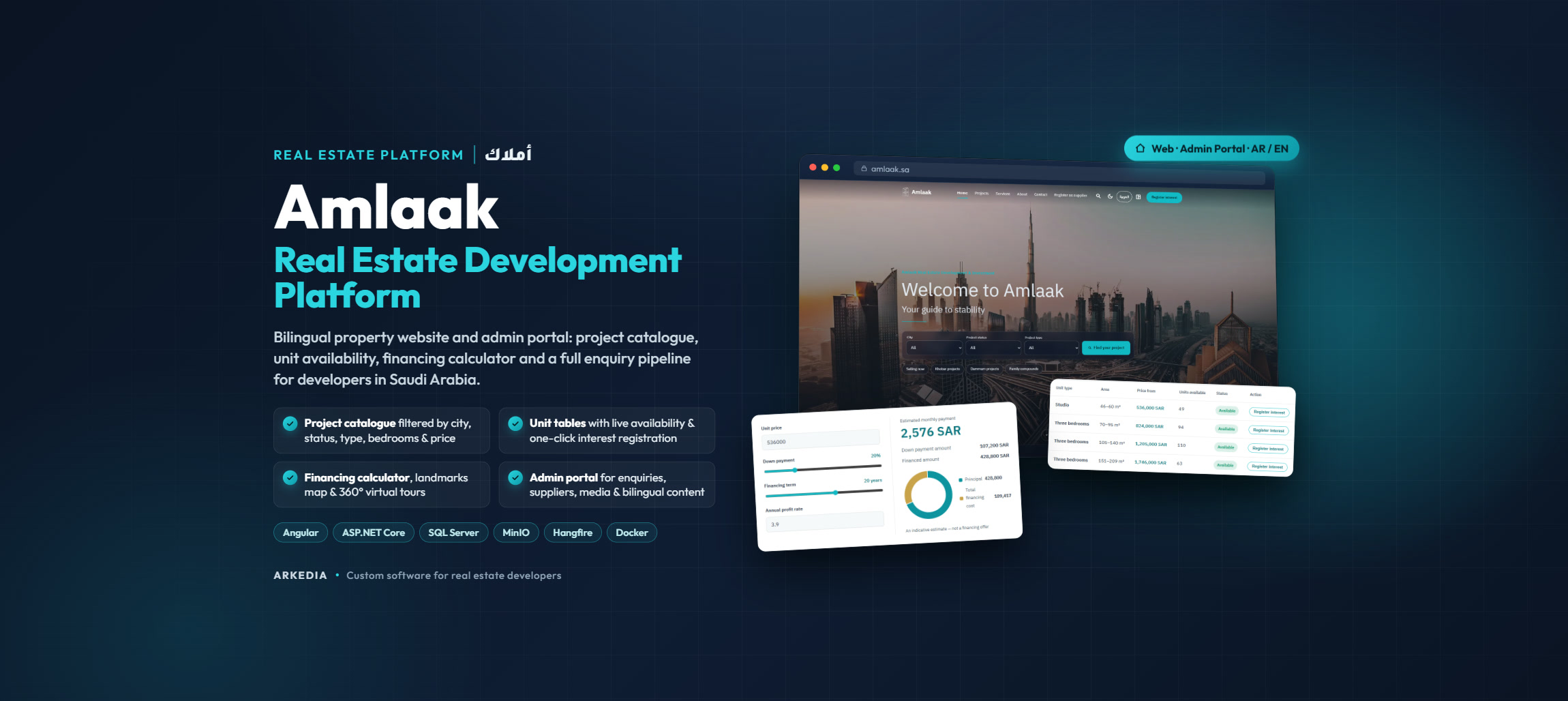
Home page hero with city, status, and type quick search
We built a modular monolith on ASP.NET Core 10 and Angular 22 with 23 domain entities and 90 CQRS handlers (57 commands, 33 queries) behind a NSwag-generated typed client.
The public site is English by default with full Arabic RTL, light and dark themes, and server-side rendering.
Buyers filter the project catalogue by city, status, type, bedrooms, and price range, switch between grid and map, and open a project page with a photo gallery, structured specifications (land area, built-up area, floors, parking, units), amenities, a nearby-landmarks map, a 360° virtual tour, and a live unit table showing type, area, starting price, and units available.
A financing calculator lets them adjust price, down payment, term, and profit rate to see an estimated monthly instalment, then register interest in a specific unit type from the same page.
Site search runs on SQL Server full-text indexes in both Arabic and English.
The admin portal has 13 modules: overview dashboard, projects, units with Excel import and export, media library on MinIO with ClamAV scanning of every upload, CMS pages and content blocks, services, statistics, testimonials, timeline, navigation and social links, site settings, analytics and consent settings, a leads inbox where sales staff assign an owner and move enquiries through new, contacted, qualified, won, and lost, a supplier review queue with document access, users, and roles.
Access is governed by 56 permissions in 14 groups mapped to 7 roles (super admin, content, inventory, sales, supplier, marketing, auditor), and any role that can manage users, integrations, or export personal data must enrol in TOTP MFA.
Every lead and supplier registration is written to a transactional outbox and delivered to Odoo CRM as leads and partners by Hangfire with retries, with the same outbox driving provider-neutral email notifications and a SignalR notification hub for staff.
An audit log records every administrative change, and slug redirects keep old project URLs alive.
The stack ships as Docker images behind Nginx with Prometheus and Grafana monitoring, and is verified by 1,066 backend tests, 254 Angular specs, 81 Playwright end-to-end tests, Lighthouse audits, and k6 load profiles.
Results
23 domain entities and 90 CQRS handlers (57 commands, 33 queries) on ASP.NET Core 10 with a NSwag-generated Angular 22 client
56 granular permissions across 14 groups mapped to 7 roles, with mandatory TOTP MFA for any role that manages users, integrations, or PII exports
Project catalogue with city, status, type, bedroom, and price filters, grid and map views, sorting, and pagination
Project pages with galleries, structured specifications, amenities, landmarks map, 360° virtual tours, and live unit availability tables
Financing calculator with adjustable price, down payment, term, and profit rate feeding a unit-specific interest form
Odoo CRM synchronization of leads and supplier partners through a transactional outbox with Hangfire retries and delivery tracking
13-module admin portal: projects, units, media, pages and blocks, content, navigation, site settings, leads inbox, suppliers, users, roles, and audit
Leads inbox with owner assignment, new/contacted/qualified/won/lost stages, export, and one-click integration retry
Unit inventory with Excel import and export, publish workflow, and per-type availability shown on the public site
Media library on MinIO with ClamAV malware scanning on every upload and supplier document handling
SQL Server full-text search in Arabic and English, slug redirects, audit log, and SignalR staff notifications
Verified by 1,066 backend tests, 254 Angular specs, 81 Playwright end-to-end tests, Lighthouse audits, and k6 load profiles
Technology Stack
Want to help build the next one? See open engineering, design, and sales roles →